AK
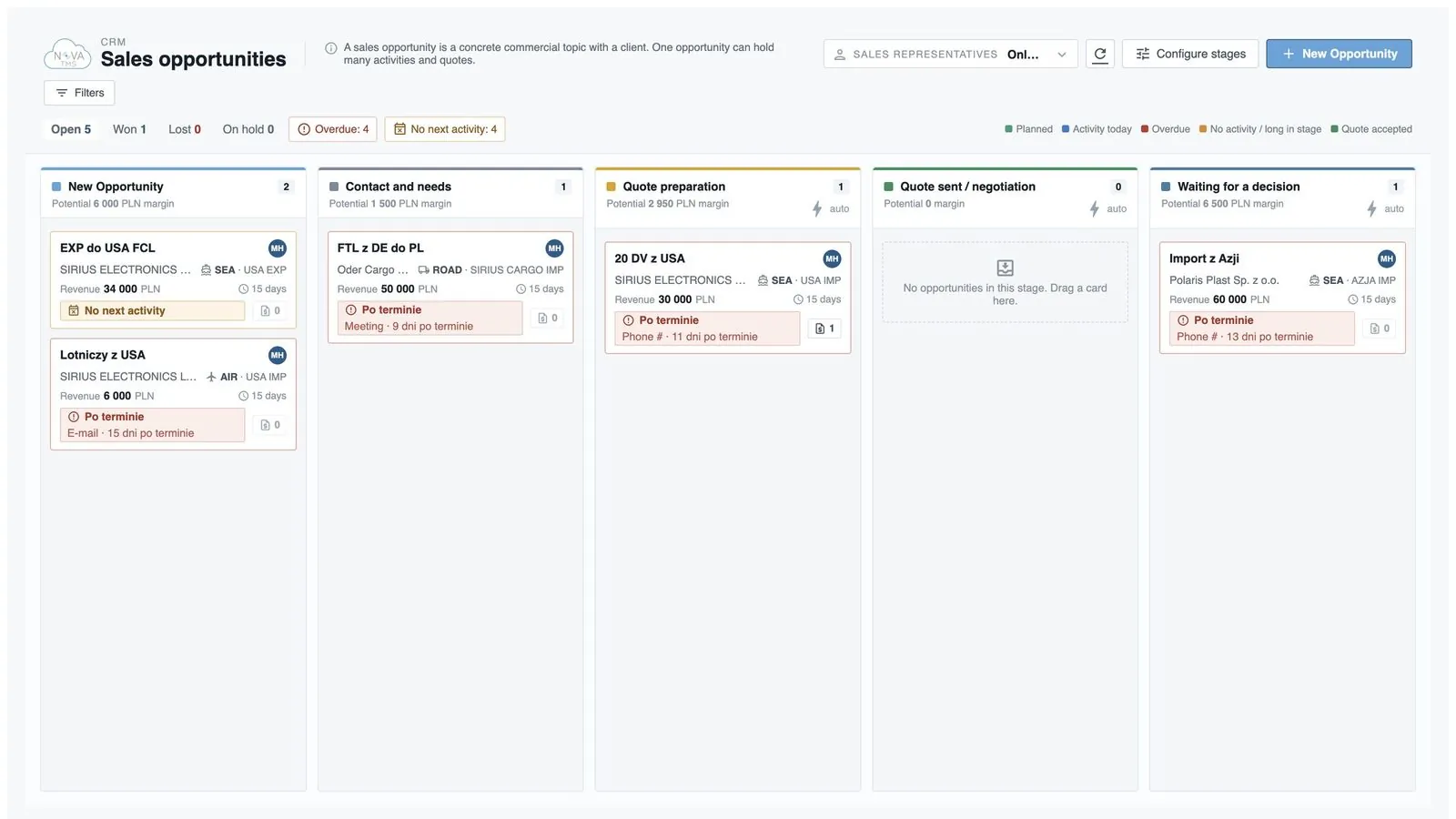
SEA · ASIA IMP
Revenue 42,000 PLN9 days
No next activity
0CRM, quotes, every mode of transport, documents, finance, customer portal and nova:BI.
Trusted by freight forwarders and logistics companies across Poland and Europe.































Every department works on the same files, partners and documents. You enter data once — sales, operations, finance and your customer all see it.
Shared areas — for the whole company
CRM and quotes
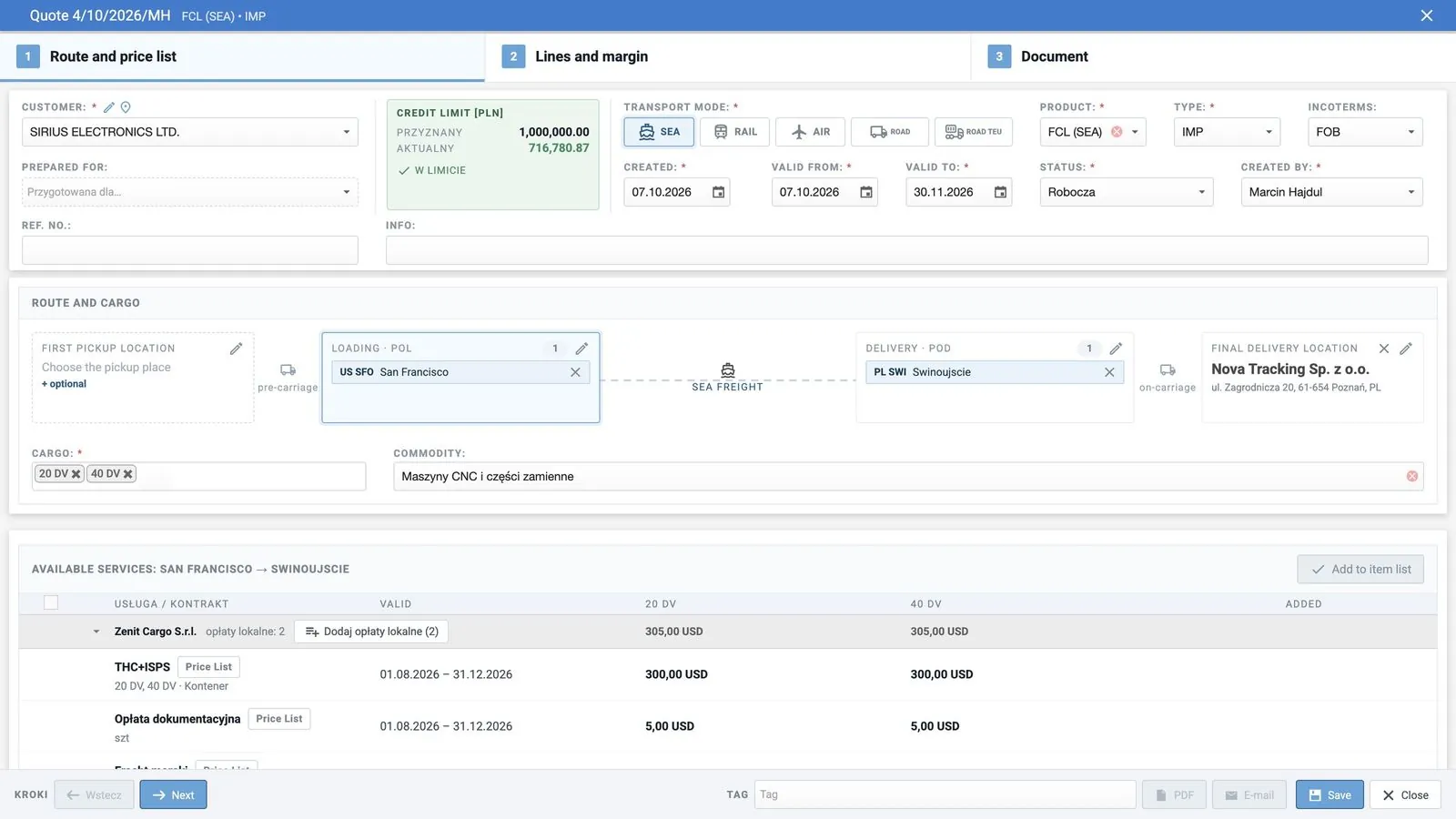
leads, opportunities, quotes in 3 steps
Finance and e-invoicing
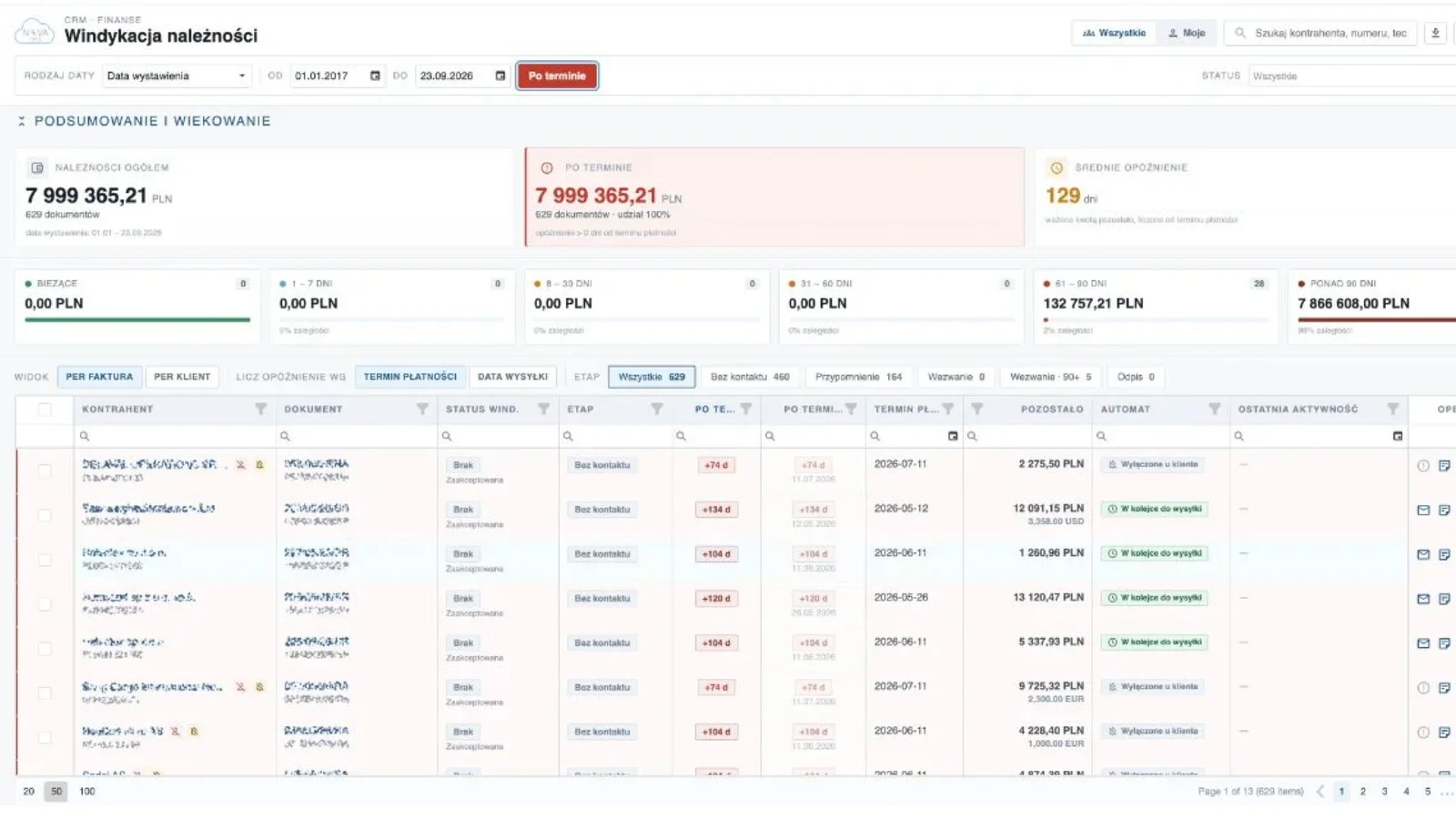
invoices, corrections, settlements
nova:BI
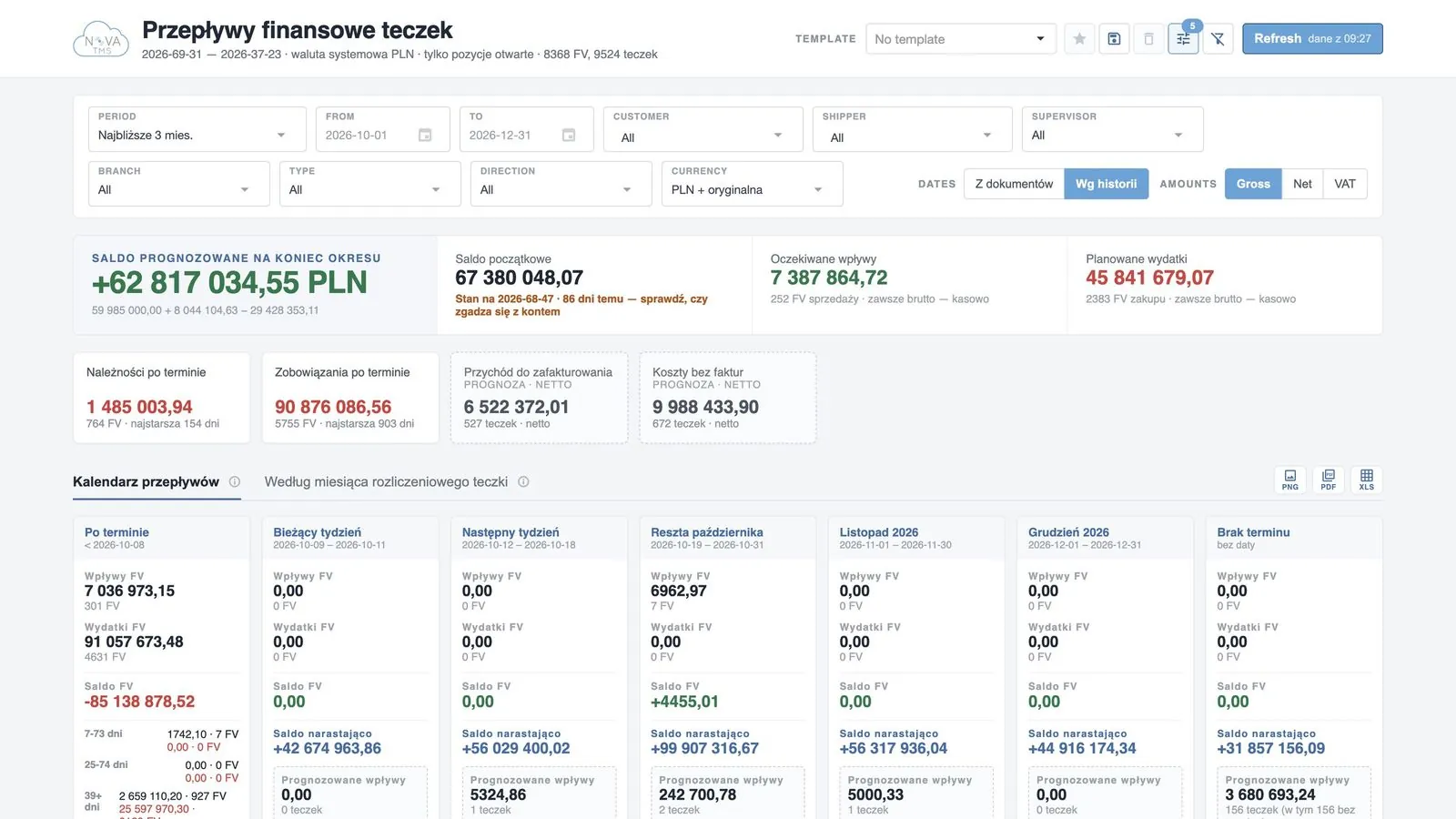
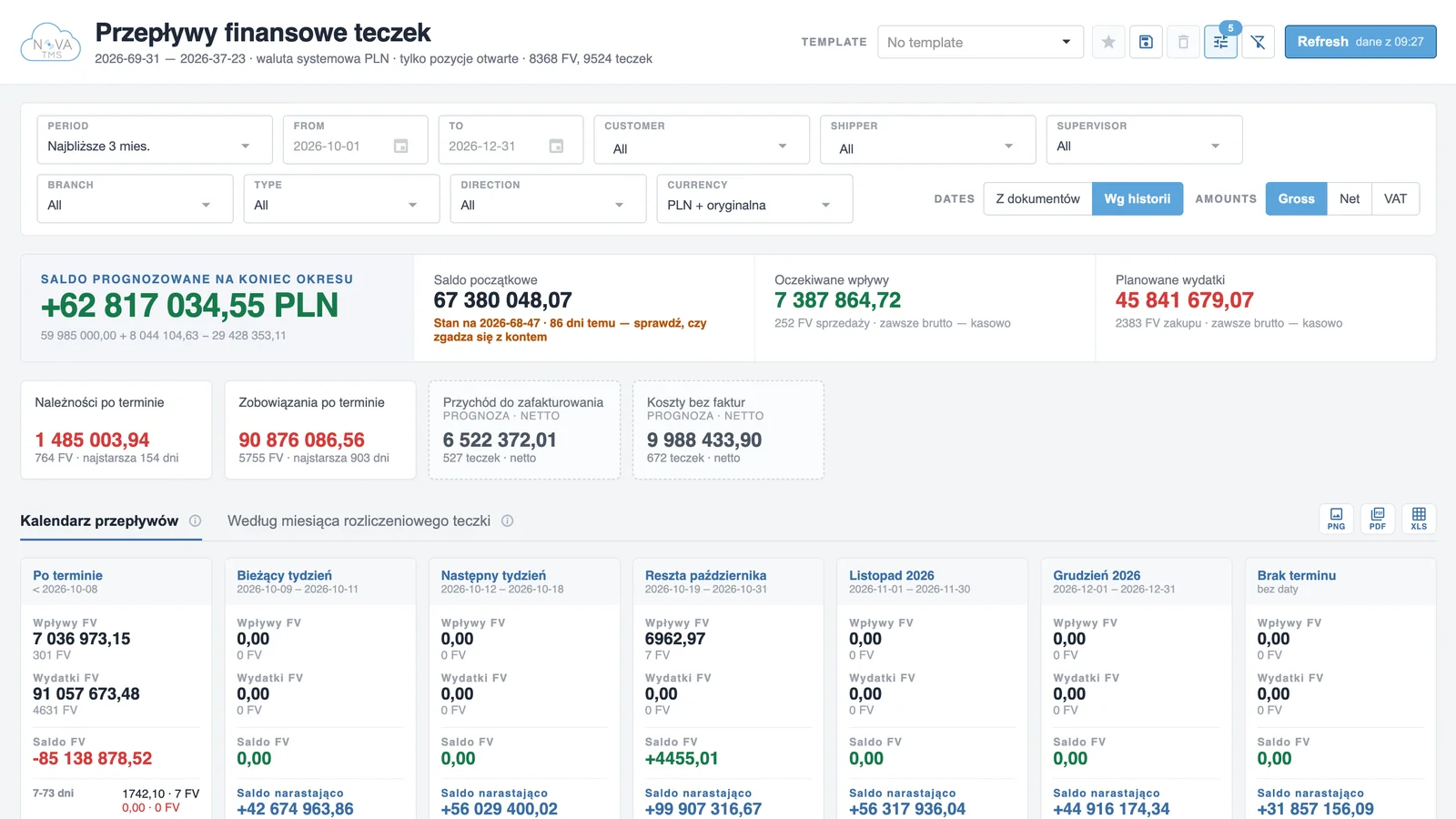
cash flow, margin, payment behaviour
 Transport modules — every mode
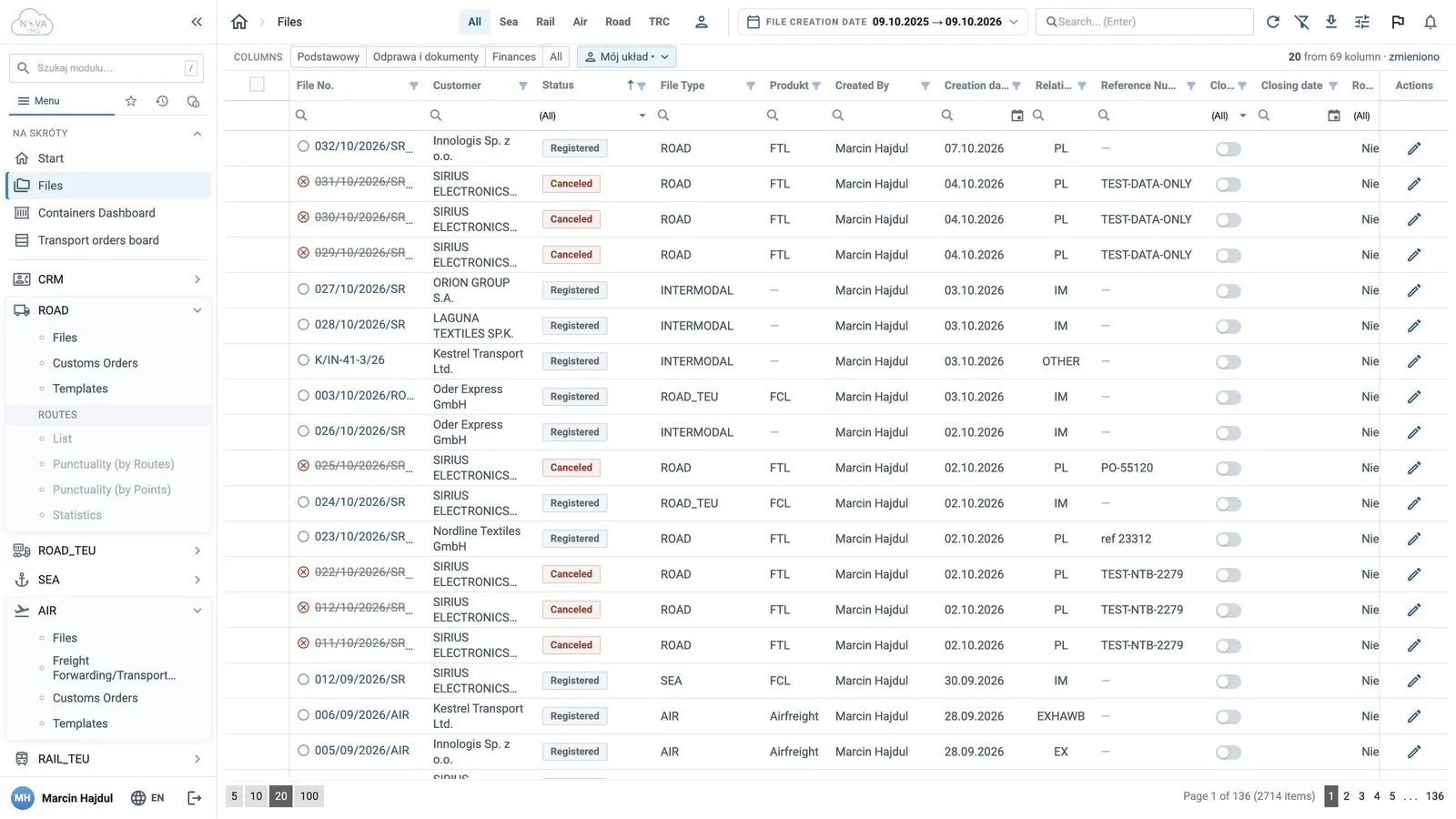
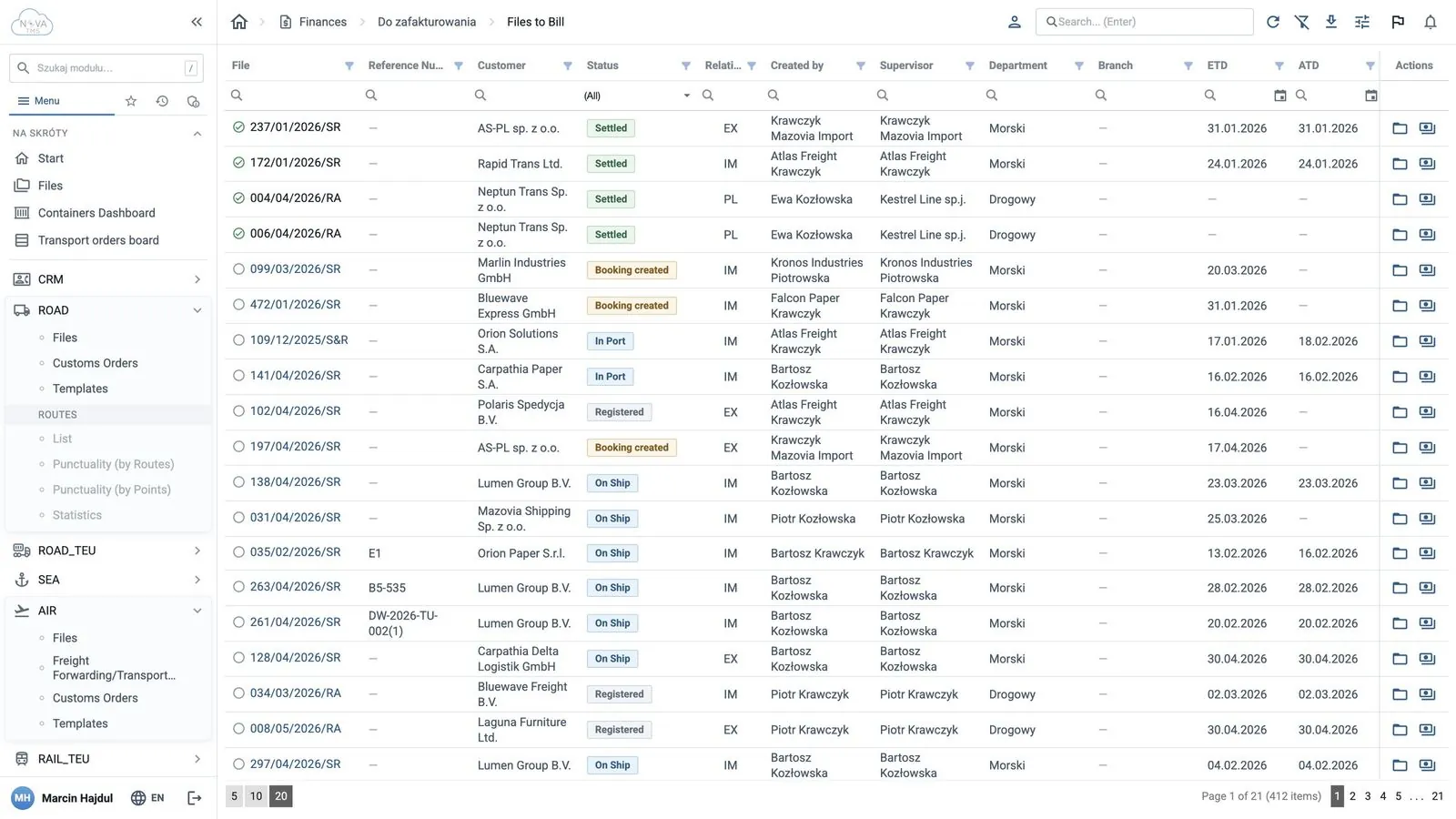
files, orders, documents, costs
Collaboration — customers and drivers
Customer portal nova:cargoHUB
statuses, map and documents for the customer
nova:driverJOBS
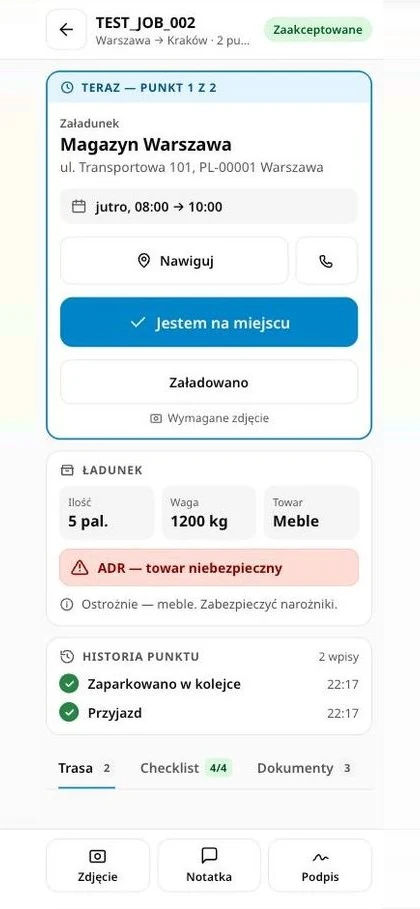
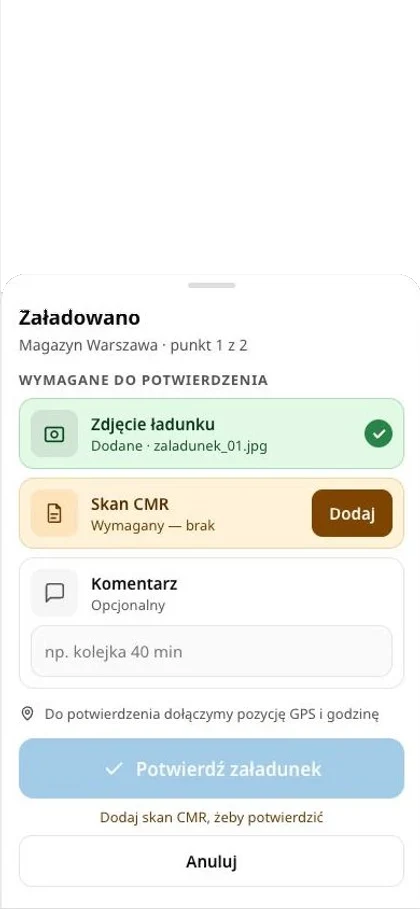
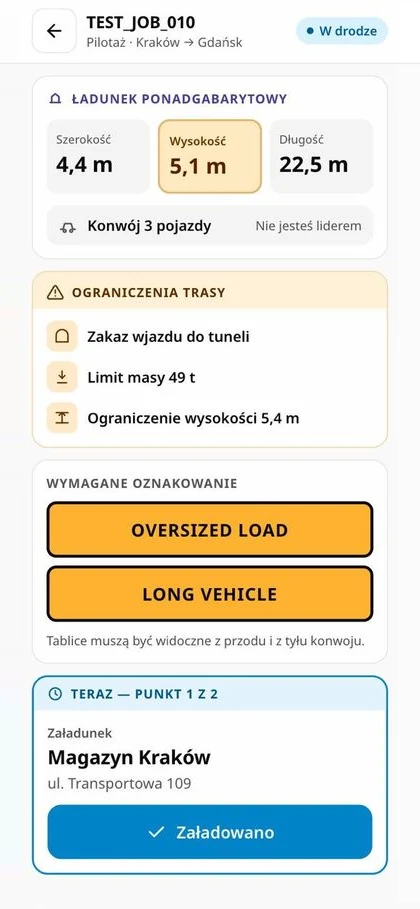
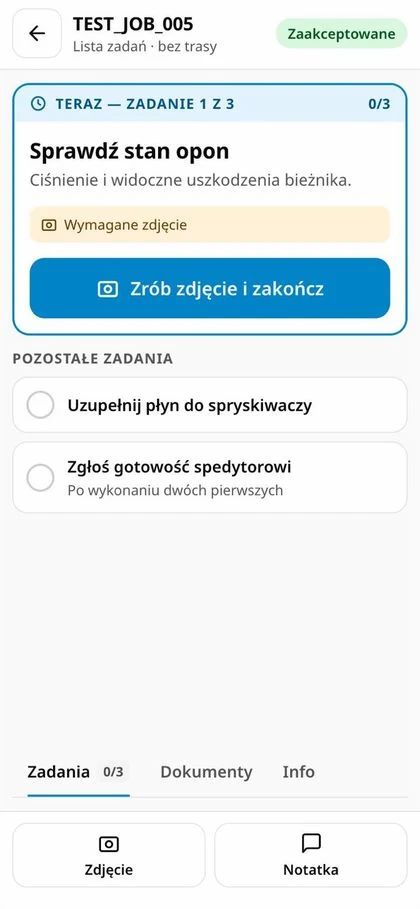
the order on the driver’s phone, no app
Automation
nova:AI
AI reads invoices and enquiries
nova:cargo tracking
containers and AWBs, ETA alerts
Integrations
e-invoicing, ERP, IATA, HERE
You enter data once: a lead becomes a quote, a quote a file, and a file an invoice and a report — no retyping between departments.
Step 01 · Lead
Leads, opportunities and sales activities in one place. Customer enquiries from e-mails land here automatically thanks to nova:AI, together with a proposed quote.
A new interface, automation and security — in every licence, at no extra cost.
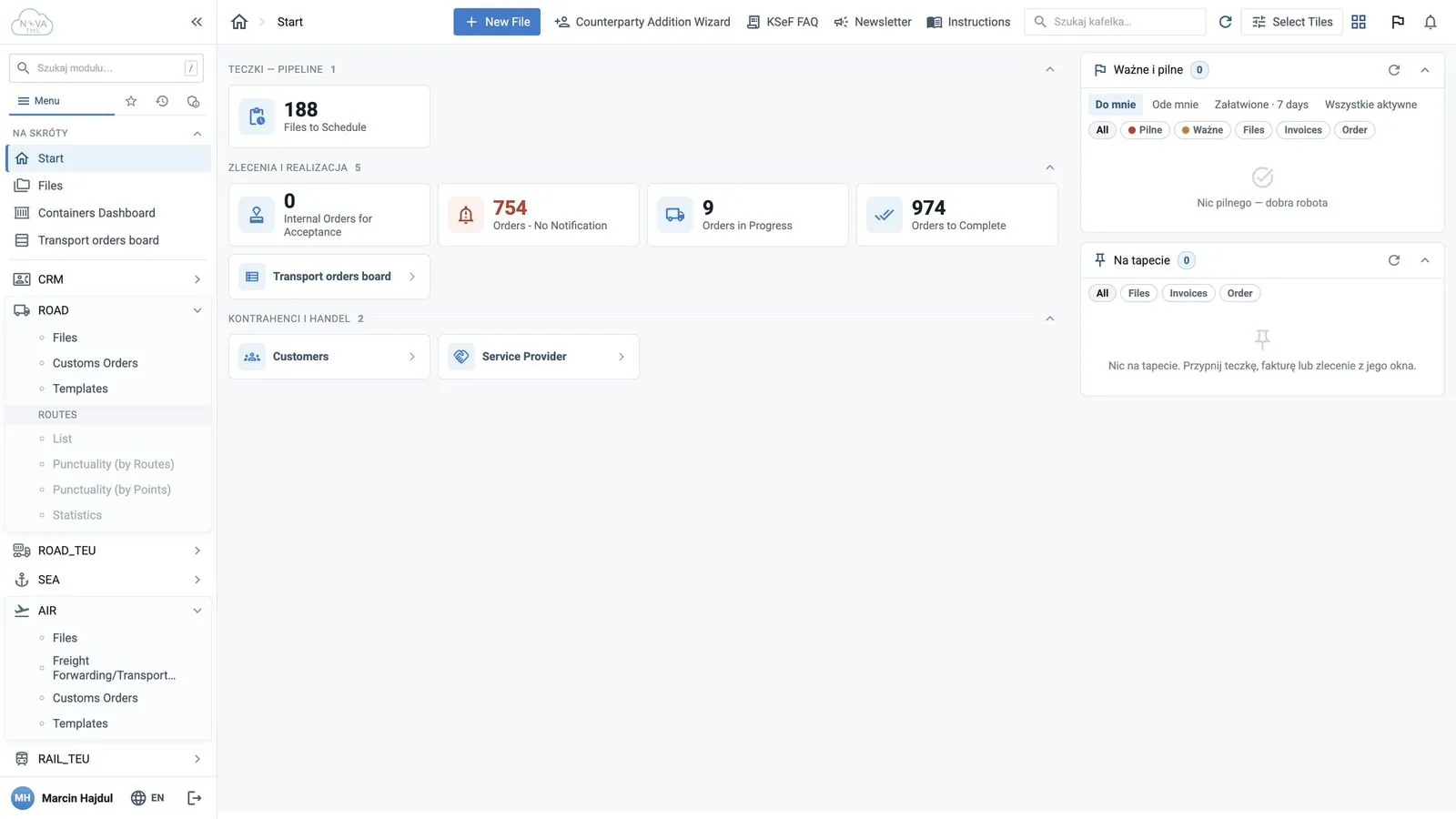
New interface and start dashboard
A “what to do now” dashboard: tiles with counters, an “Important and urgent” panel, a menu with search, favourites and history.
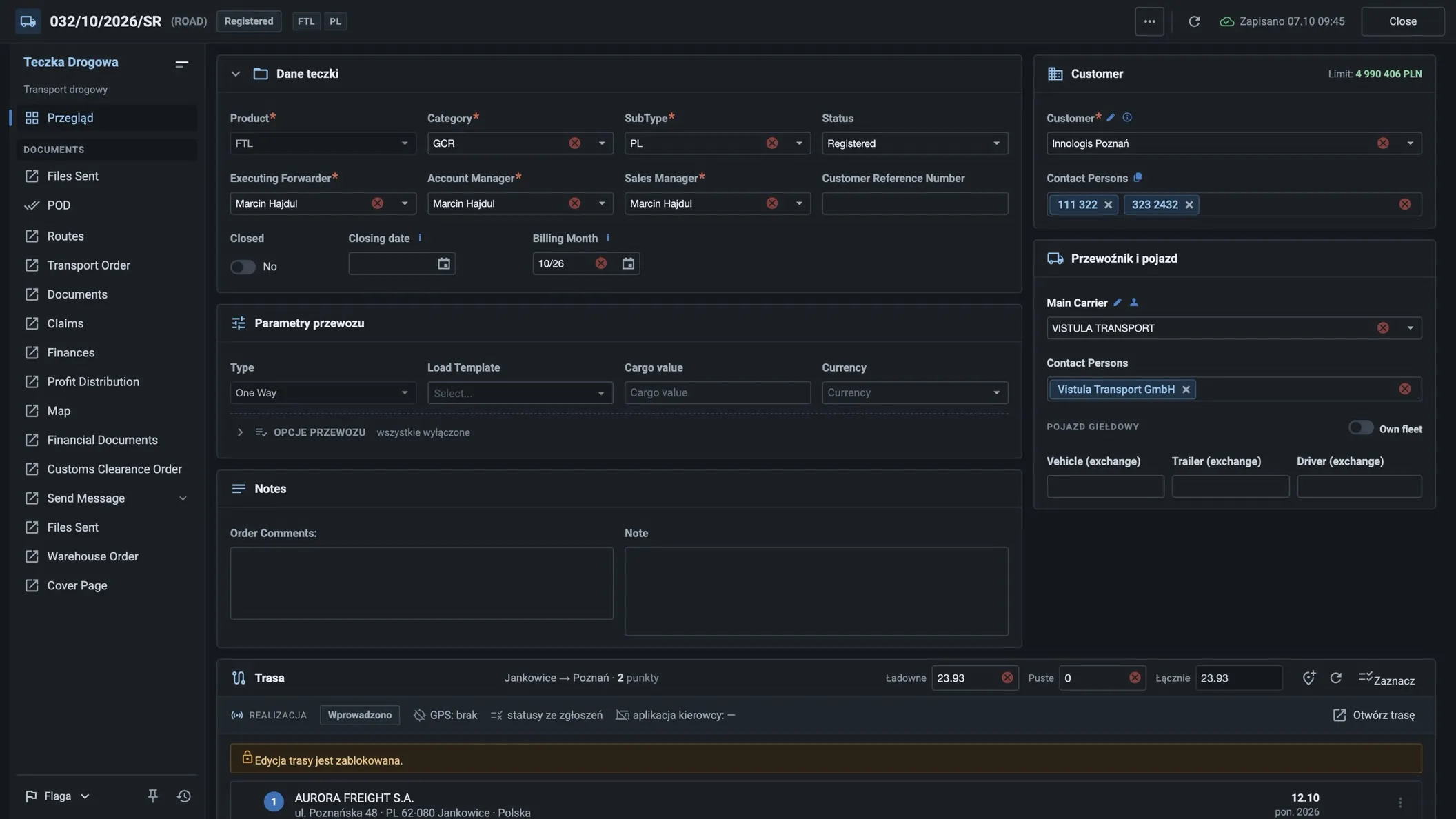
Light and dark theme, on any device
Every user picks their own theme. nova:tms runs in the browser — on a computer, tablet and phone, with nothing to install.
Automation
Secure sign-in
Two-factor sign-in with a code from an app or by e-mail, plus user permissions and groups.
Supported apps
 Google Authenticator
 Microsoft Authenticator
 Authy
Authy 2FAS
2FAS26
languages nova:tms works in
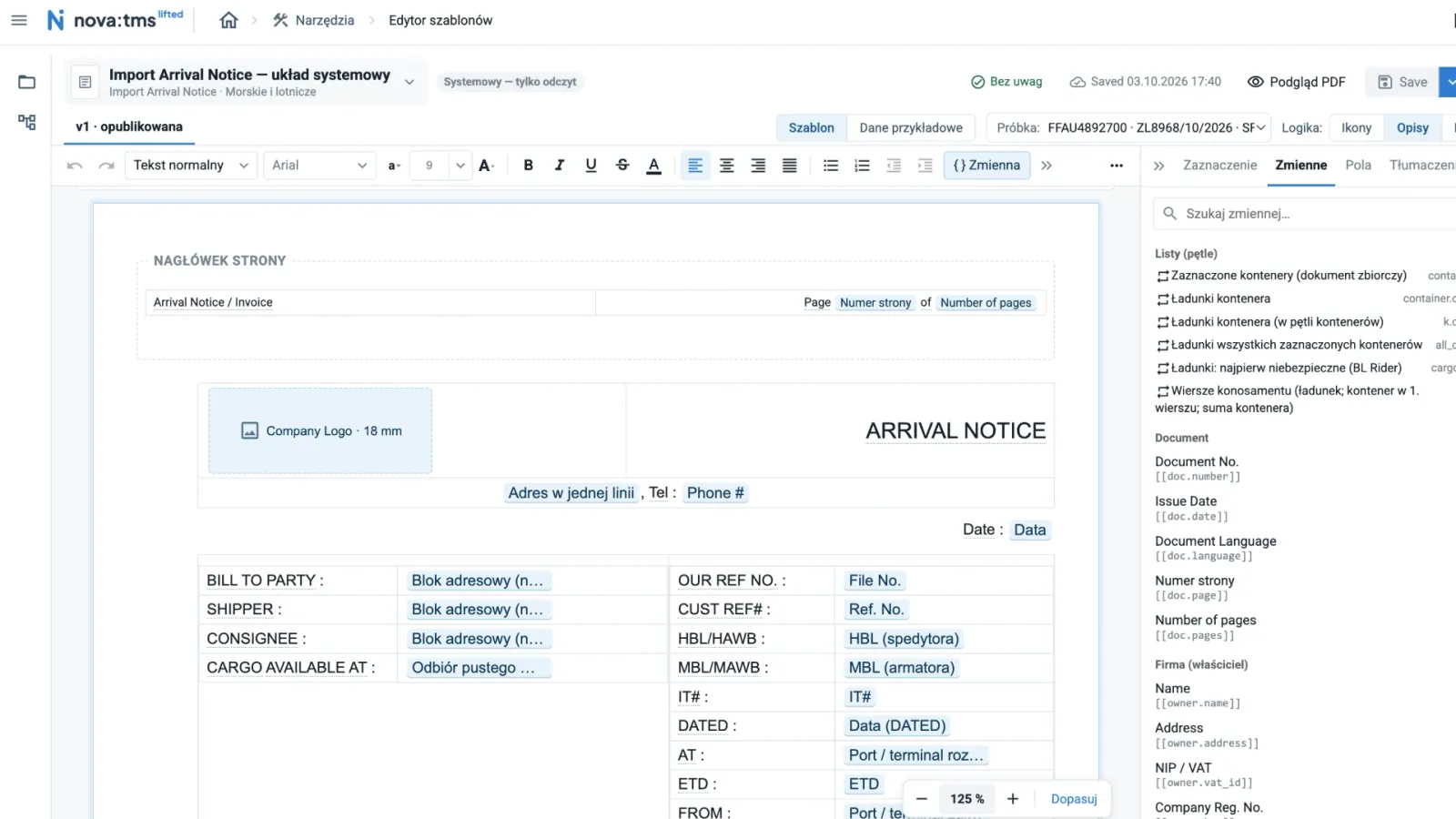
An interface for teams in Poland and abroad, and quotes and documents in the customer's language.
Less retyping, fewer mistakes in amounts and numbers — and the decision always stays with a person.
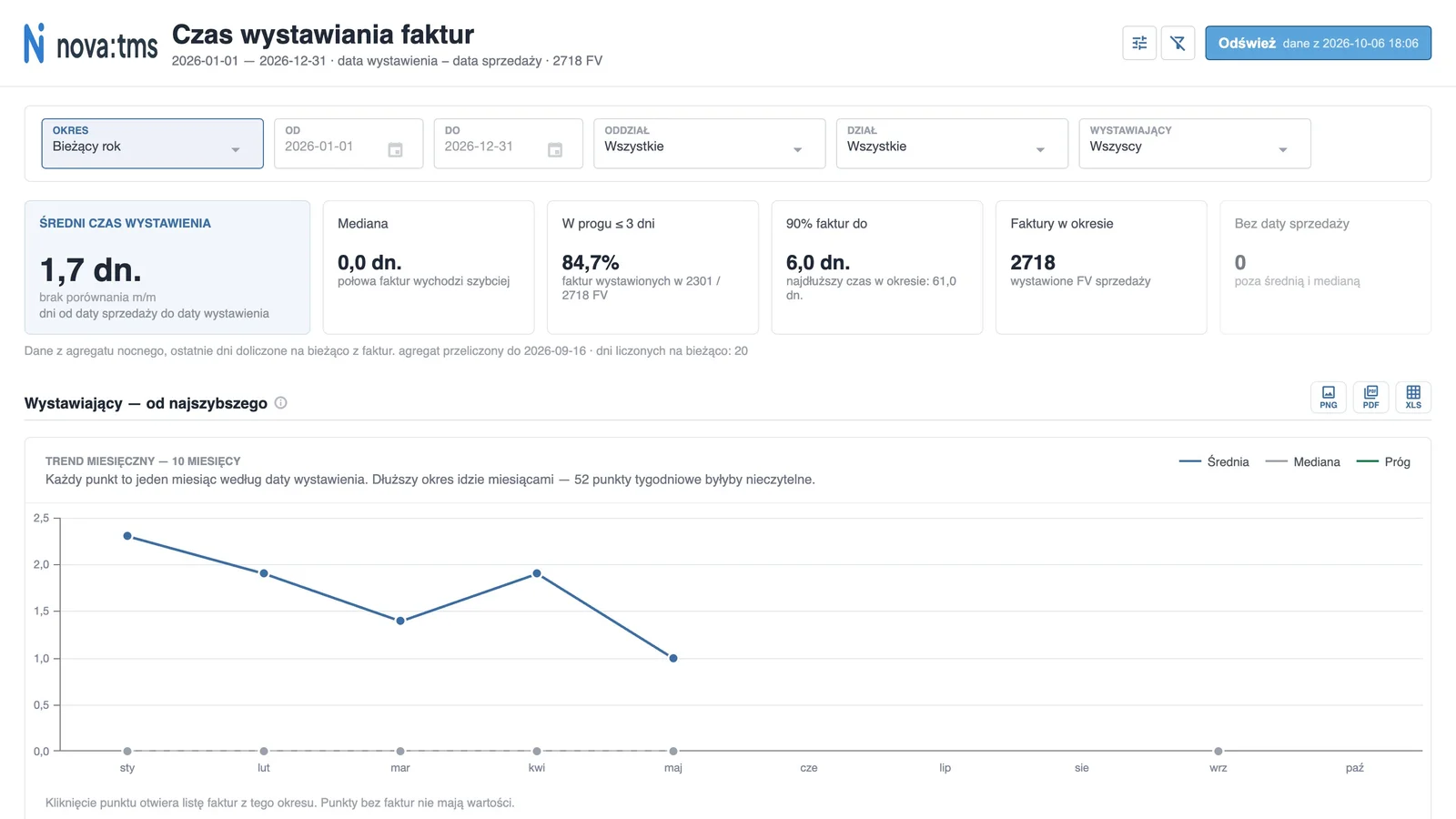
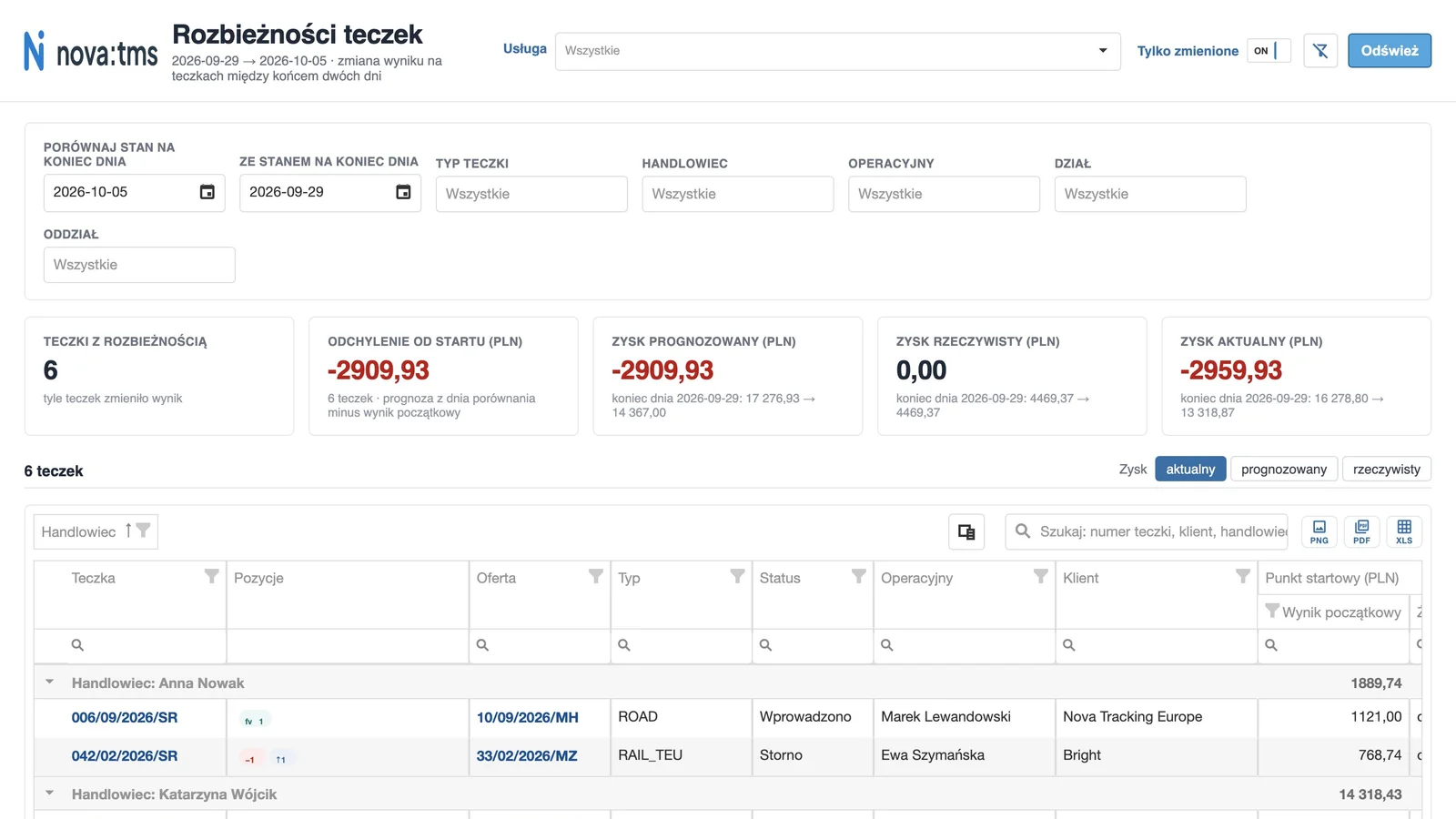
For management, finance and team leads. From every figure you can drill down to the customer, file or invoice behind it.
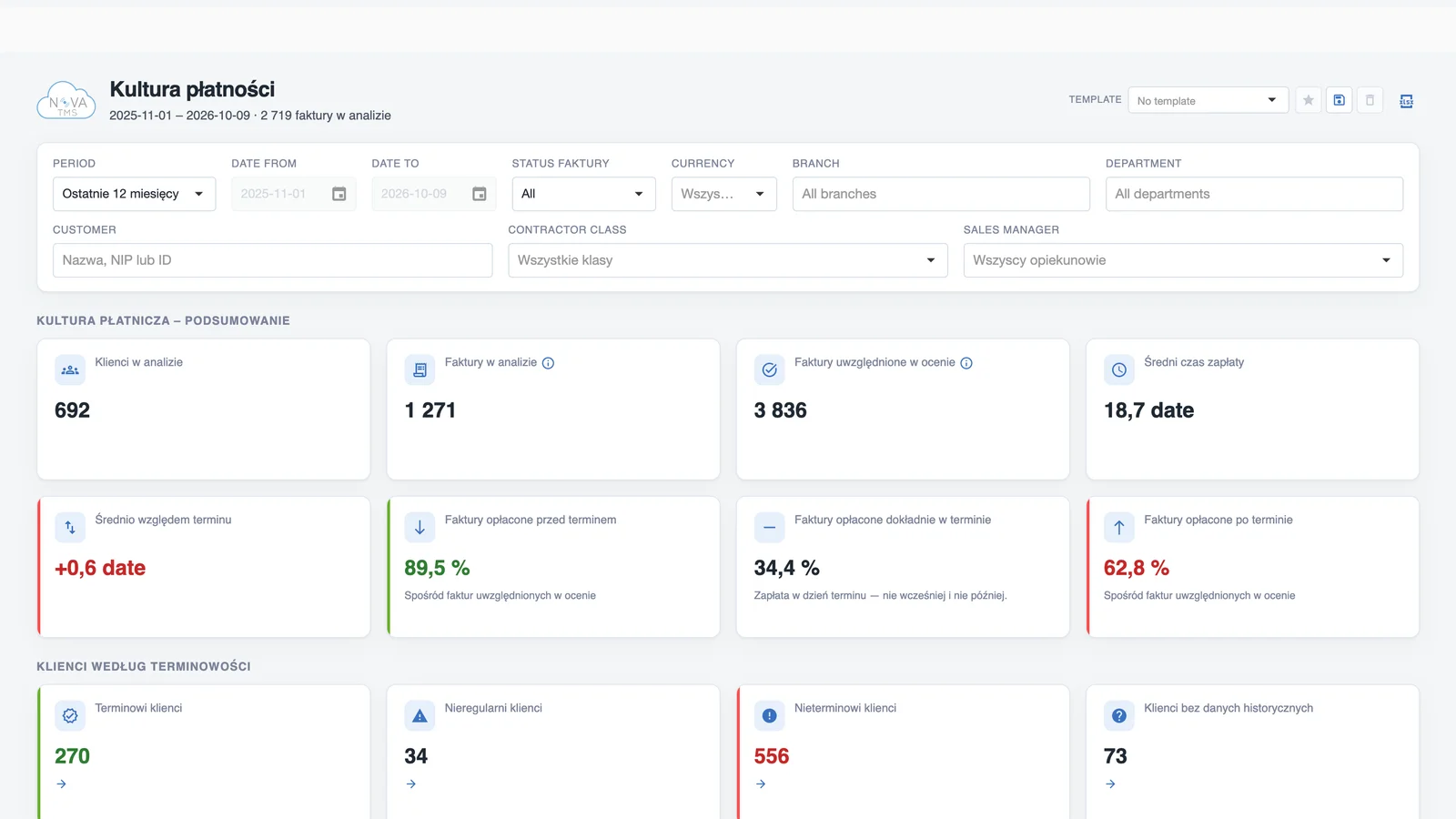
How customers really pay — over a longer period, not based on a single invoice.
Every report: saved filters, export to Excel, PDF and PNG, and data visibility based on permissions.
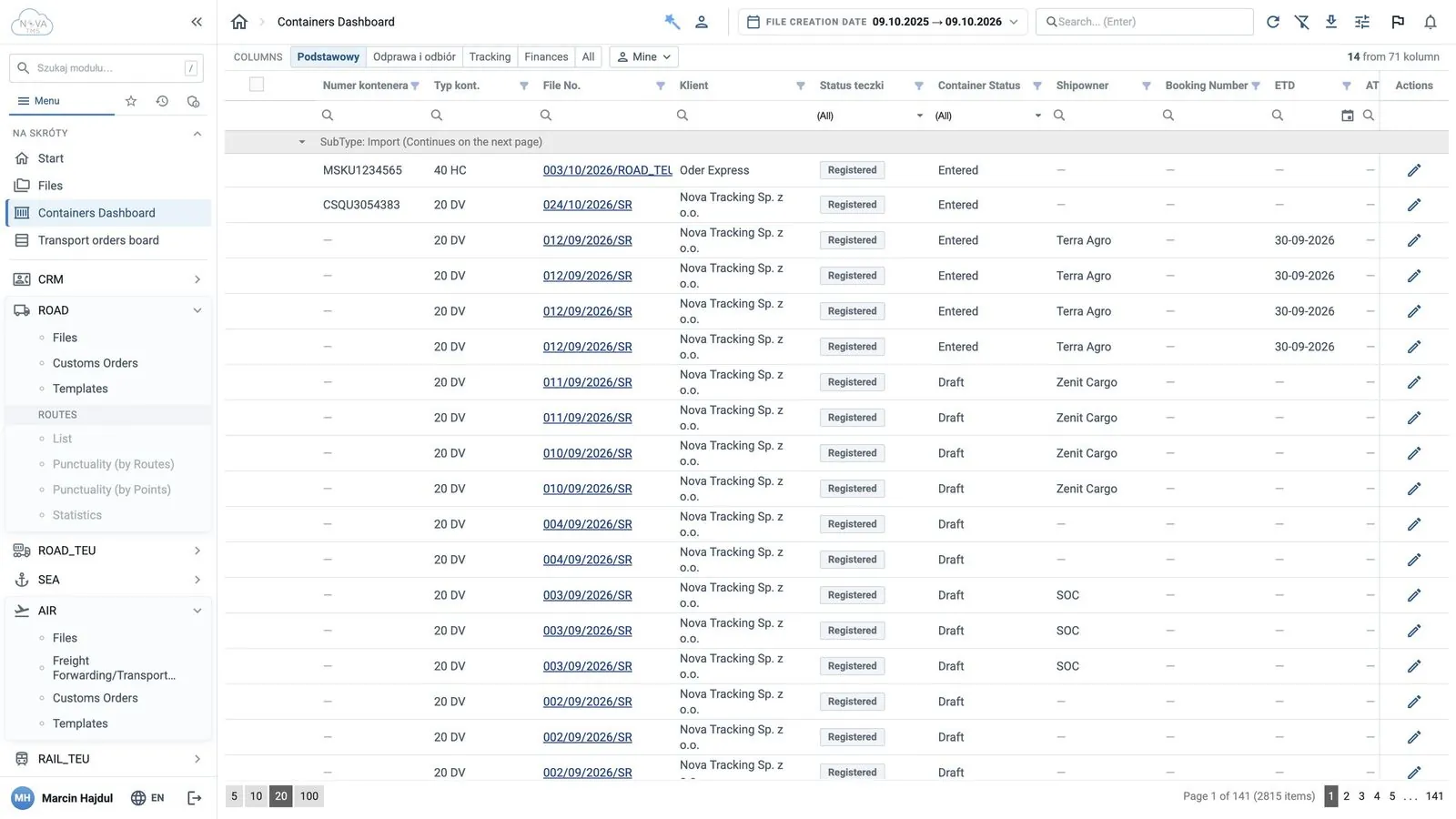
Containers and AWBs under control in one place — in the forwarder's system and in the customer portal.
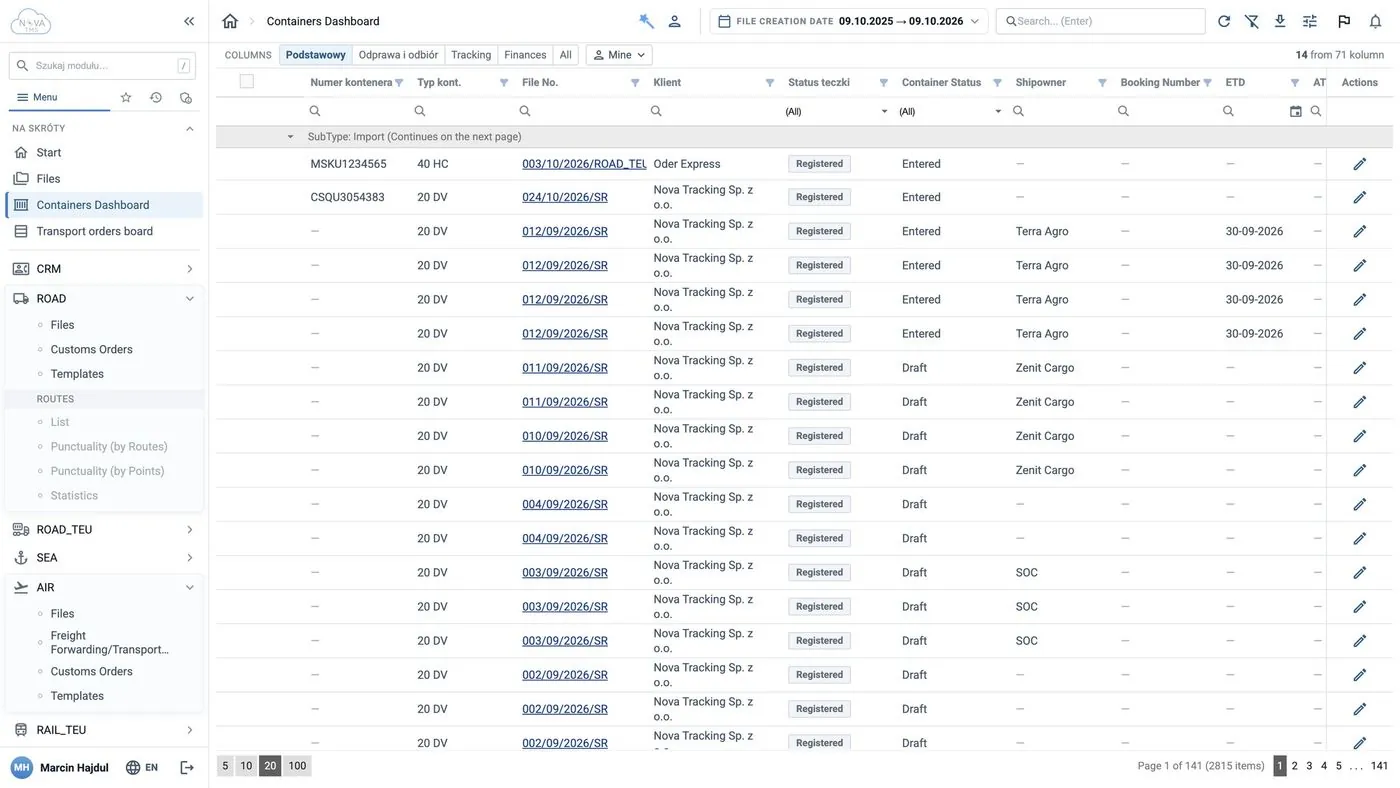
Container dashboard
ATD, ETA, gate-in and gate-out statuses update themselves — no checking shipping lines' websites.
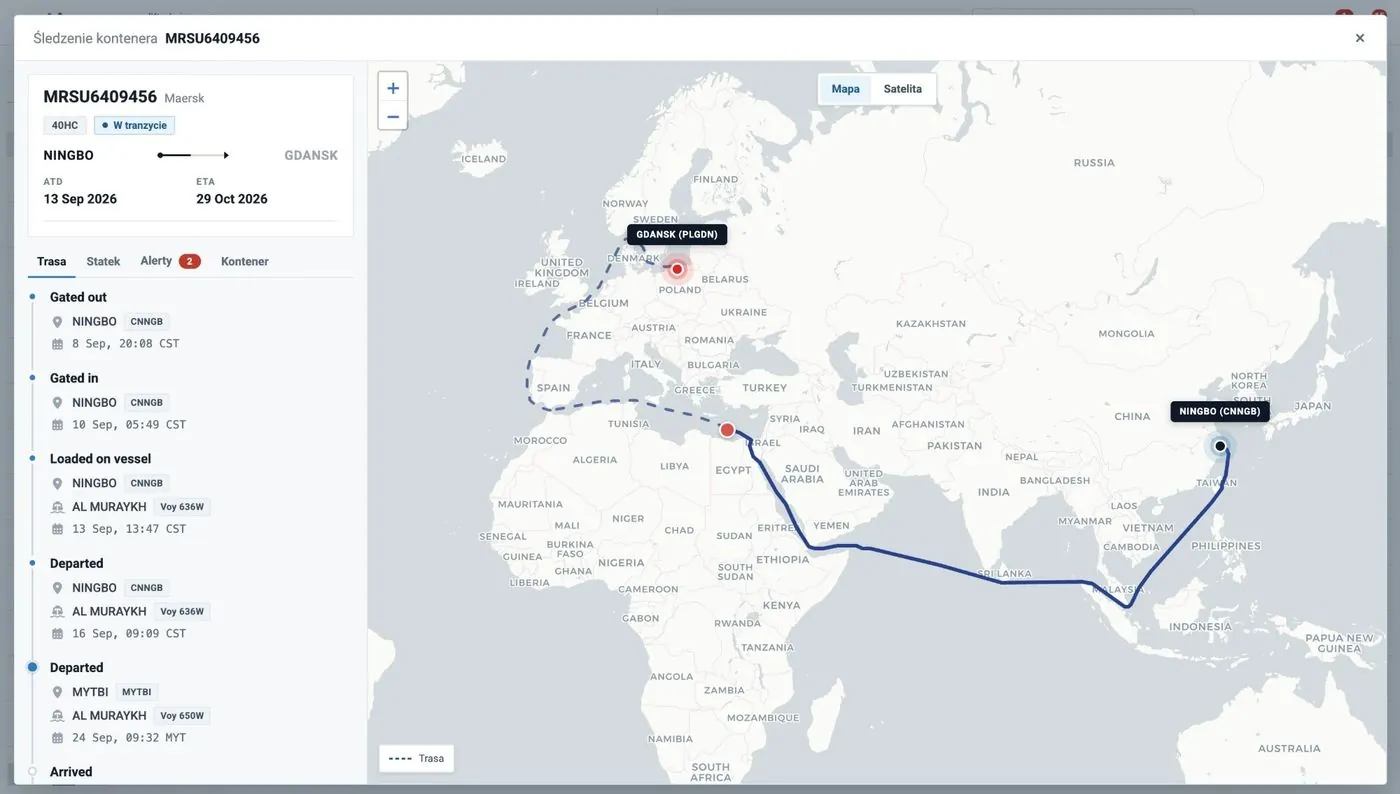
CargoTracking on the map
Full event history, route travelled and planned, vessel, voyage and ETA alerts.
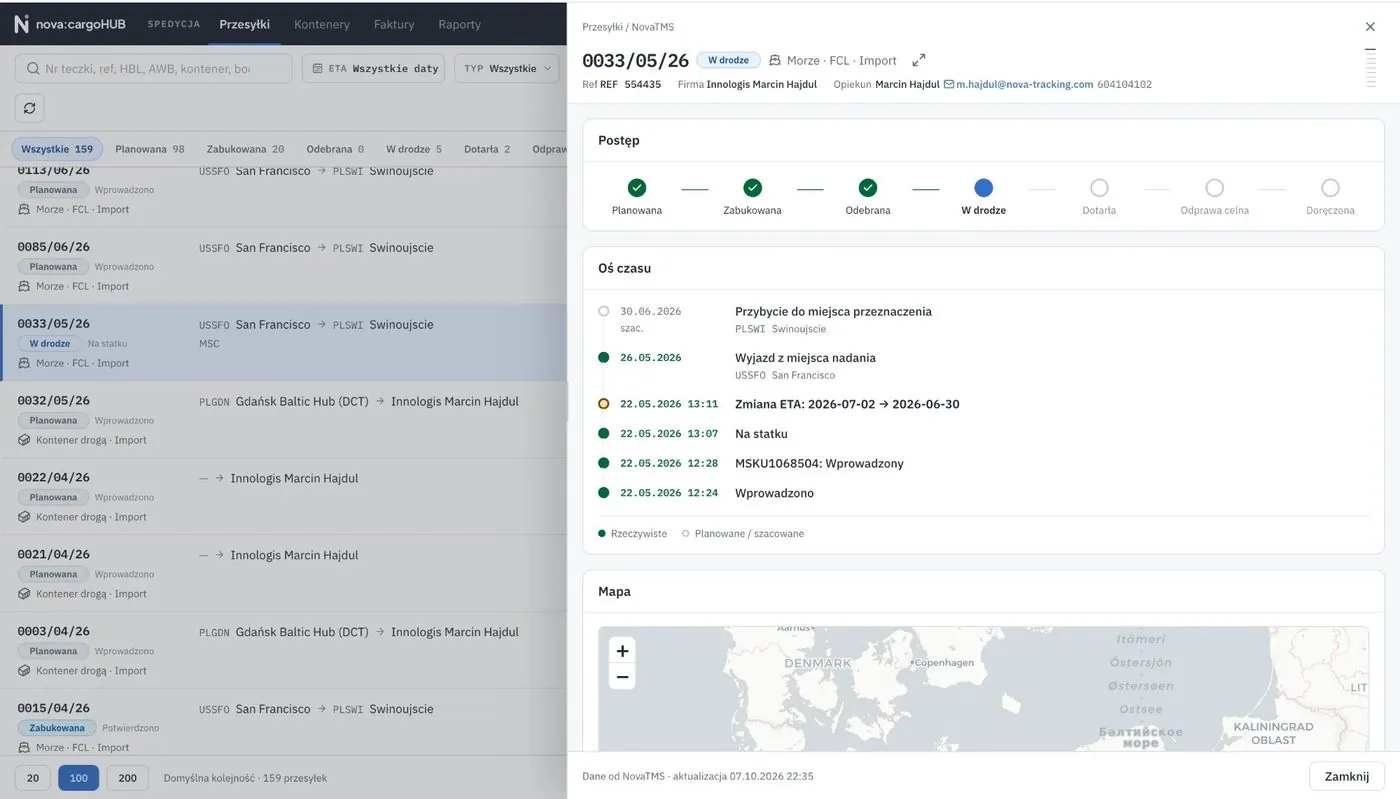
Your customer sees the same
The nova:cargoHUB portal: statuses, map and documents — no more “where is my container?” calls.
Customers increasingly ask about the emissions of their shipments. nova:carbon calculator works out CO₂e leg by leg — from the data already in the file — and prepares a report you can send to the customer right away.
Leg by leg
Pre-carriage, the sea, air or rail leg and on-carriage are calculated separately. Road kilometres come from the routes in nova:tms; sea, air and rail distances are determined by the calculator.
A standard, not an estimate
ISO 14083:2023 methodology and GLEC Framework v3.2 factors. Well-to-wheel result (combustion + fuel production) in kg CO₂e, with intensity per tonne-kilometre.
A report ready for the customer
A PDF per file with the route, legs and data quality, a summary report for a period and Excel export — data for your customers’ Scope 3 reporting.
You see what is missing
The list of files to calculate shows missing data, and a change of weight or route after calculation marks the result as “data changed”.
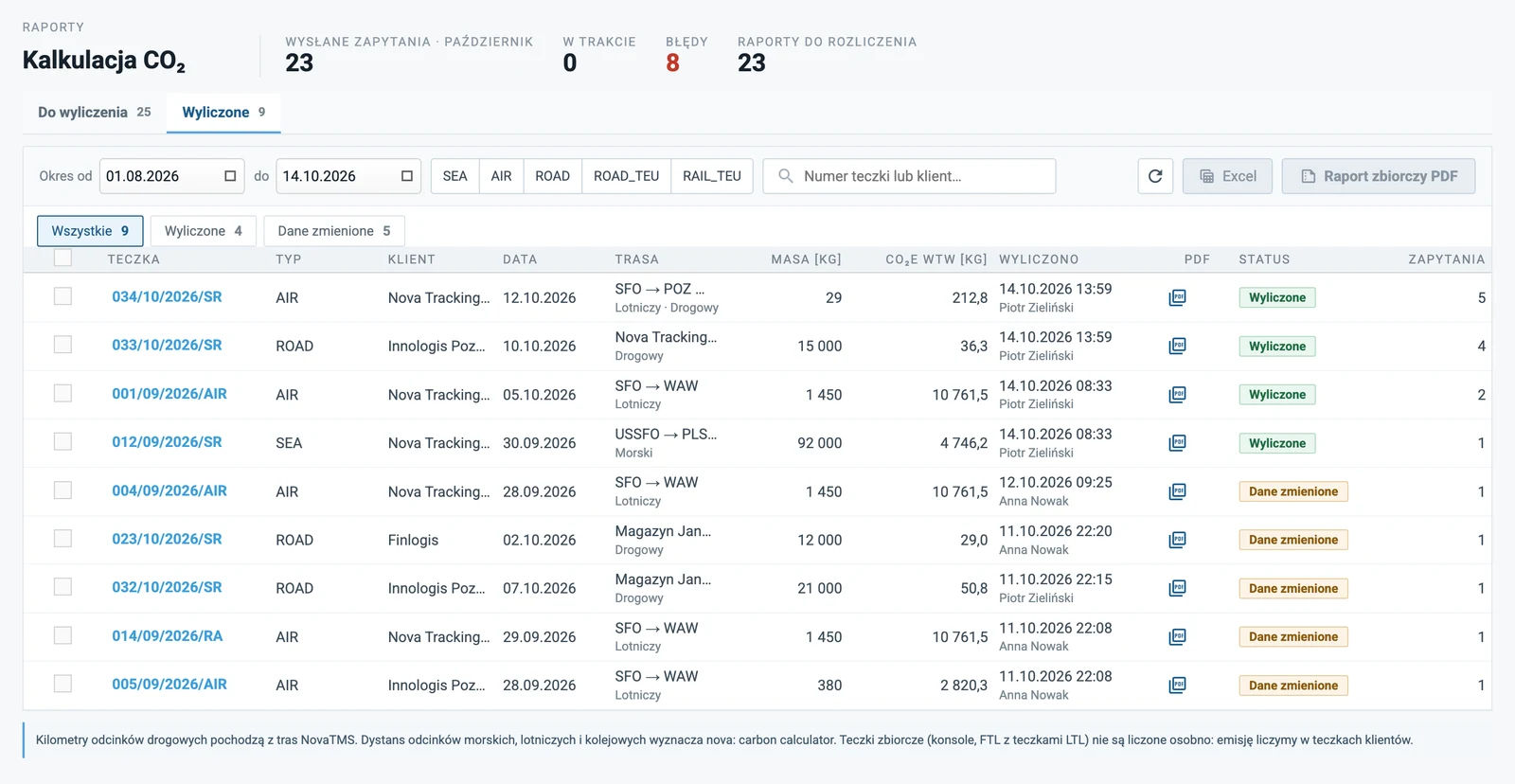
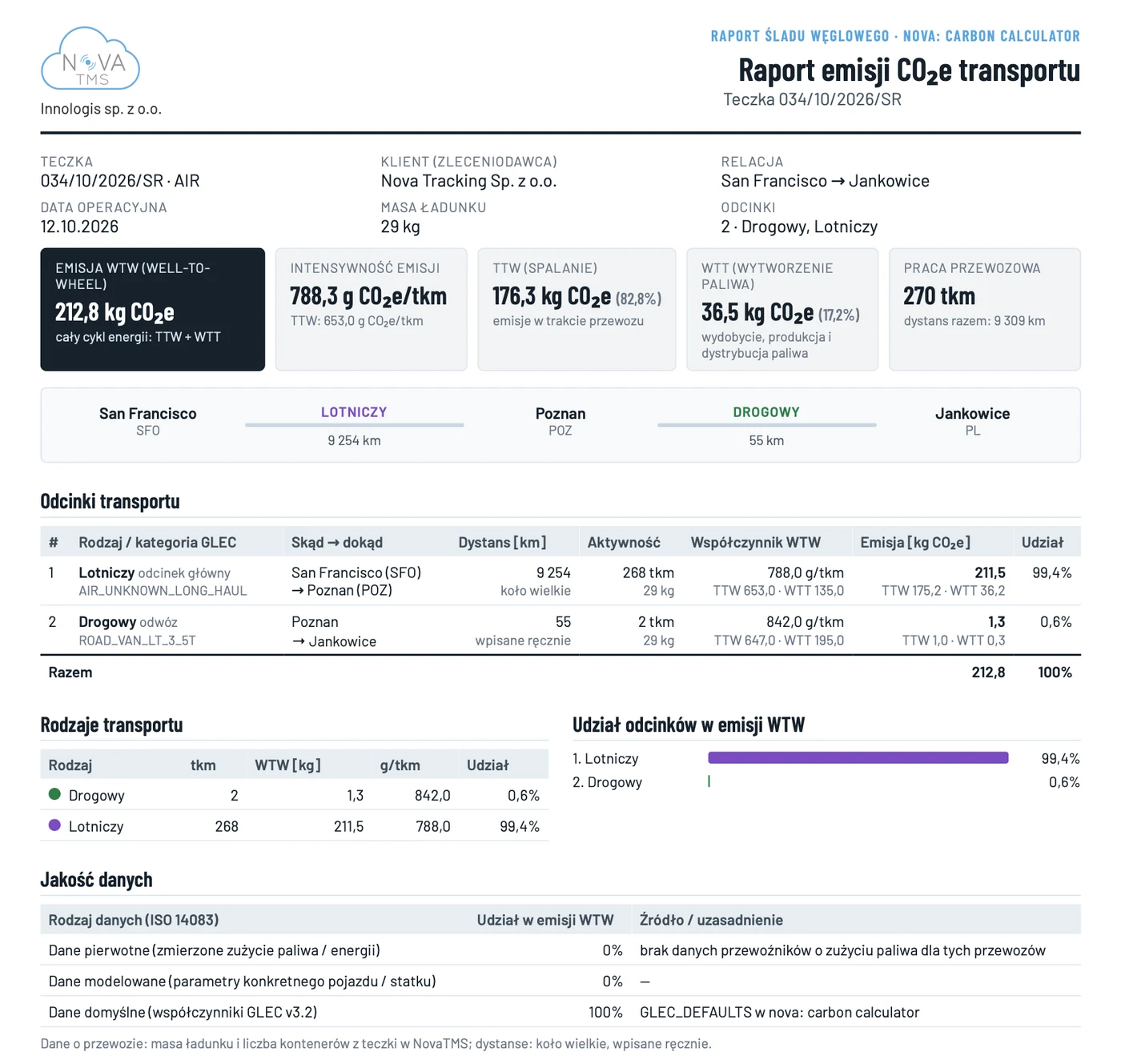
Calculated in line with ISO 14083:2023 and GLEC Framework v3.2. Results are not verified by a third party.
The driver gets a link to the order — by SMS or any messenger — updates statuses and adds documents, with no app and no login.
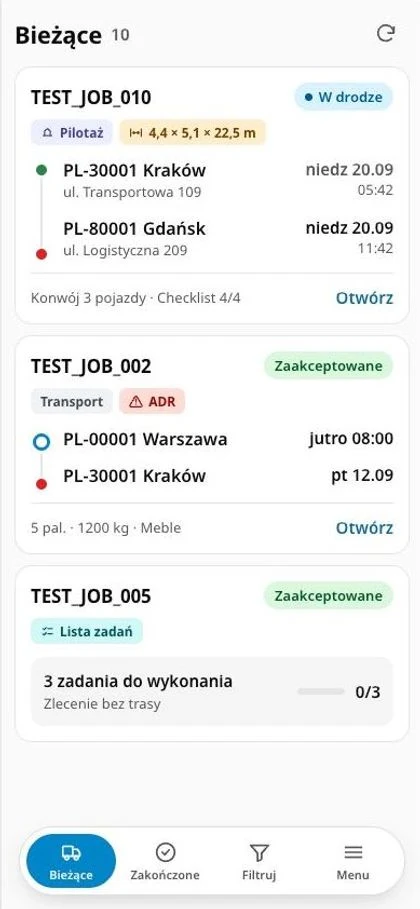
A free portal for your customers: shipments, statuses, map, documents and invoices — no calls or e-mails to the forwarder.
Shipments and statuses
Files and containers with statuses, progress and a timeline with ETA history.
CargoTracking map
Route travelled and planned, vessel and voyage — the same data as in nova:tms.
Documents
The customer downloads shipment documents and uploads their own, and the forwarder verifies them.
Invoices and payments
Invoices as PDF with payment status, in one place.
nova:tms connects to authorities, carriers, shipping lines and accounting systems — data flows automatically, with no retyping.
Authorities and tax
Official registers and tax systems connected to files and invoices.
 KSeFsales invoices out, cost invoices in
 PUESC / SENTSENT declarations straight from the file
 GUScompany data from REGON when adding a partner
 VIESEU VAT number check
 VAT white listchecks partners' bank accounts
Transport and tracking
Air, road and maps: messages, routes and statuses without retyping.
 IATA Cargo-XMLCargo-XML messages and eAWB
 DescarteseAWBs sent to airlines
 project44shipment tracking across carriers
 HEREtruck routes, tolls and fuel
 Google Mapsmaps and address data
Shipping lines and tracking services
Container statuses straight from shipping lines and tracking services — ETD/ATD, ETA/ATA, vessel and voyage.
 CMA CGMcontainer statuses from the line's system
 MSCcontainer statuses from the line's system
 Maerskcontainer statuses from the line's system
 Hapag-Lloydcontainer statuses from the line's system
 Navo24container tracking across 240+ lines
 ShipsGocontainer tracking across 130+ lines
Accounting and ERP
Documents, settlements and exchange rates go to your finance systems.
 Symfoniasales and cost documents to accounting
 enova365sales and cost documents to accounting
 Comarch Optimasales and cost documents to accounting
 Comarch XLsales and cost documents to accounting
 Simplesales and cost documents to accounting
 ERP systemsSAP, Business Central, Oracle — accounting data, orders and costs
Customers and partners
Data exchange with customers and partners: orders, statuses and documents.
 Poczta Polskadomestic and international parcel tracking
You only pay for active users. All modules, updates, hosting and helpdesk are included in the licence.
Subscription
€49
per user / month
you only pay for active users
All modules included
Implementation
€499
one-off · 4 weeks
setup and configuration, training included
User training included
Customer portal
€0
for your customers
nova:cargoHUB portal access is free
Tracking and documents for your customers
All modules
CRM and quotes, SEA (FCL, LCL, BULK), RAIL, ROAD, AIR, back office, finance and e-invoicing, debt collection, claims, reports, customer portal
Hosting and updates
Hosting with security certificates and all updates
Helpdesk
User helpdesk for the whole contract term
Partner accounts
Accounts with permissions for customers, carriers and partners
Google Maps and HERE
Google business maps and address data plus HERE maps: truck routes, tolls and fuel
Switch an add-on on when you need it and pay only for what you actually use, billed monthly.
nova:AI — invoice reading
Packages by pages per month
nova:cargo tracking — containers
per tracked container
nova:cargo tracking — air shipments
per tracked AWB
nova:driverJOBS
per order sent to a driver
SENT integration (PUESC)
fixed monthly fee for the integration
Custom work
by hours worked
Stages
Week 1
Week 2
Week 3
Week 4
Contract signed
Stage 1: Business analysis
Stage 2: nova:tms configuration
Stage 3: Accounting system and e-invoicing link
Stage 4: User training
Stage 5: Go-live
01
Analysis
Forwarding, accounting and reporting processes — written up as the configuration spec.
02
Implementation
nova:tms configuration, accounting link (files or API) and e-invoicing, training.
03
Go-live and support
Production in Polish and English, helpdesk and an online ticket system.
and agree an implementation plan.
 Transport modules — every mode